Android · Mac remote desktop

Your Mac, on Android.

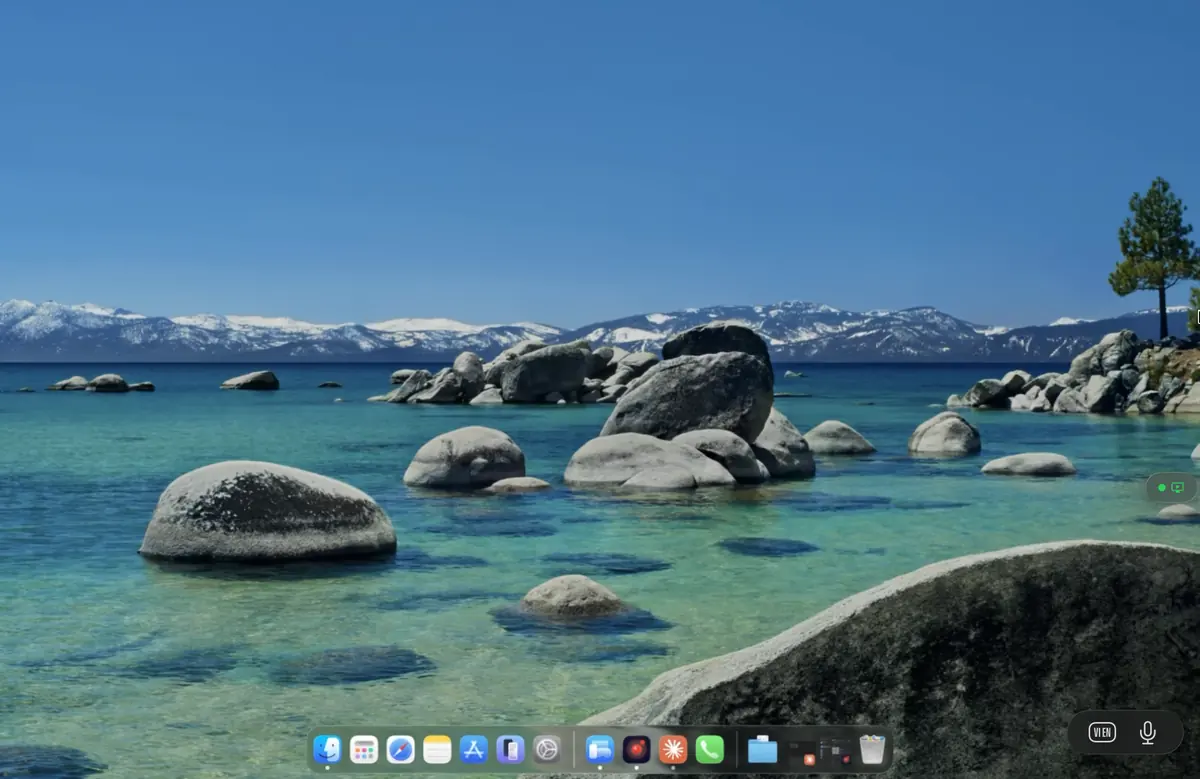
Remio for Android is a native Jetpack Compose app — not a web wrapper, not a thin port. Pair once with a 4-digit PIN, and your full Mac desktop streams to a Pixel, a Samsung Galaxy tablet, an OnePlus foldable, or any Android 10+ device. Hardware-accelerated decode, multi-touch and S Pen forwarding, Bluetooth keyboards, and a UI that knows the difference between a phone and a tablet.

Native, not a port

Native Jetpack Compose, not a web wrapper

Remio for Android is written in Kotlin 2.1 with Jetpack Compose. There is no WebView, no embedded browser, no cross-platform glue layer between your tap and the pixels on your screen. It runs the way Android itself runs.

01
Reason 01 — Kotlin 2.1 · Compose BOM 2025.06.00

Built on the same toolchain Google ships its own apps with

The app targets Kotlin 2.1 and Compose BOM 2025.06.00 — the same modern stack Google uses for Pixel system apps. That means the UI thread runs at 60 fps on a Pixel 6 or a five-year-old Galaxy, scroll animations stay smooth under load, and the app launches in well under a second from a cold start. No Flutter render bridge, no React Native bridge, no compromise.

Why this matters on a phone: every wasted frame is a battery you do not need to drain. Native Compose draws directly through the platform’s own renderer, which means lower CPU use, less heat, and longer remote sessions before the device gets warm.

Kotlin 2.1, Compose BOM 2025.06.00 — modern toolchain, no legacy XML layouts
60 fps UI thread — smooth scroll and animations even under streaming load
Sub-second cold launch — no WebView warmup, no JavaScript engine spinning up
02
Reason 02 — MediaCodec hardware decode

Hardware decode through MediaCodec — the chip does the work

Video frames hit the device, get handed to Android’s MediaCodec API, and the SoC’s dedicated H.265 or H.264 decoder turns them back into pixels. The CPU stays cool, the battery stays full, and the stream sustains a real 60 fps instead of a stuttering 30. On a Pixel 9 or a Snapdragon 8 Gen 3 tablet, decode budget is in low single-digit milliseconds.

A dedicated SurfaceView renders the decoded frames straight to the display compositor. No texture copy through the GPU, no extra blit, no Compose layer in the hot path. That is why the picture stays locked to the panel’s refresh rate instead of drifting.

03
Reason 03 — Gestures the system understands

True gesture handling — edge swipes, predictive back, foldable hinge events

Because the app is native, it gets every Android system gesture the way the OS intends. Predictive back works. Edge-swipe navigation works. Hinge events on a Pixel Fold or Galaxy Z Fold are delivered to the app, so the layout responds to opening or closing the device. None of this is something a web wrapper can replicate — it requires a real Android view tree, which is exactly what Remio ships.

Setup

From Pixel to Mac mini in 30 seconds

No sign-up screen, no email verification, no Google account binding. Install two apps, scan a QR or type a 4-digit PIN, and you are streaming. The whole setup fits in under a minute — usually closer to thirty seconds.

01
Step 01 — Install the Mac host

Download Remio Host on your Mac

Drag the app to Applications, launch it, and grant Screen Recording and Accessibility permissions in System Settings. The host runs natively on macOS — SwiftUI front end, hardware-accelerated capture through ScreenCaptureKit, encoder using Apple’s VideoToolbox. Idle CPU use sits in the single-digit percents on Apple Silicon.

The host registers itself on your local network and waits for a client to pair. No Mac account, no Apple ID required — the host runs as your local user and never reports back to anything except the device you pair with.

02
Step 02 — Install the Android client

Get Remio Client from the Play Store

Search for “Remio Client” on the Play Store or follow the link from the download page. The APK is small and the install is instant. There is no Google account binding on first launch — the app does not need to know who you are signed in as on Android. It needs nothing more than the device itself.

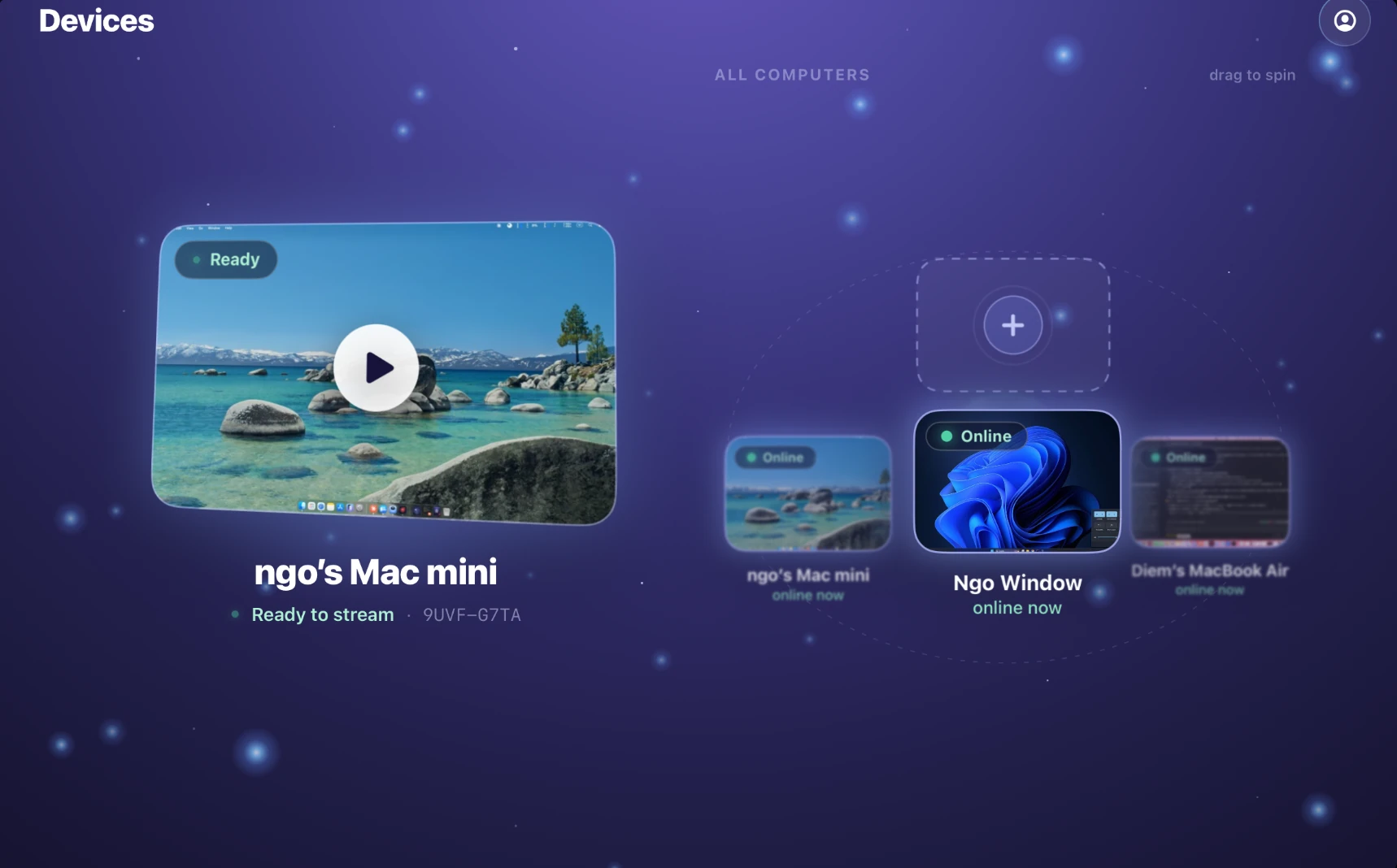
On launch you see a clean Compose screen listing the hosts it has discovered on the local network, plus a field to enter a PIN. That is the whole onboarding flow. No interstitial sign-up, no email opt-in, no “create your account” nag.

03
Step 03 — Pair with a 4-digit PIN

Scan a QR code or type the PIN

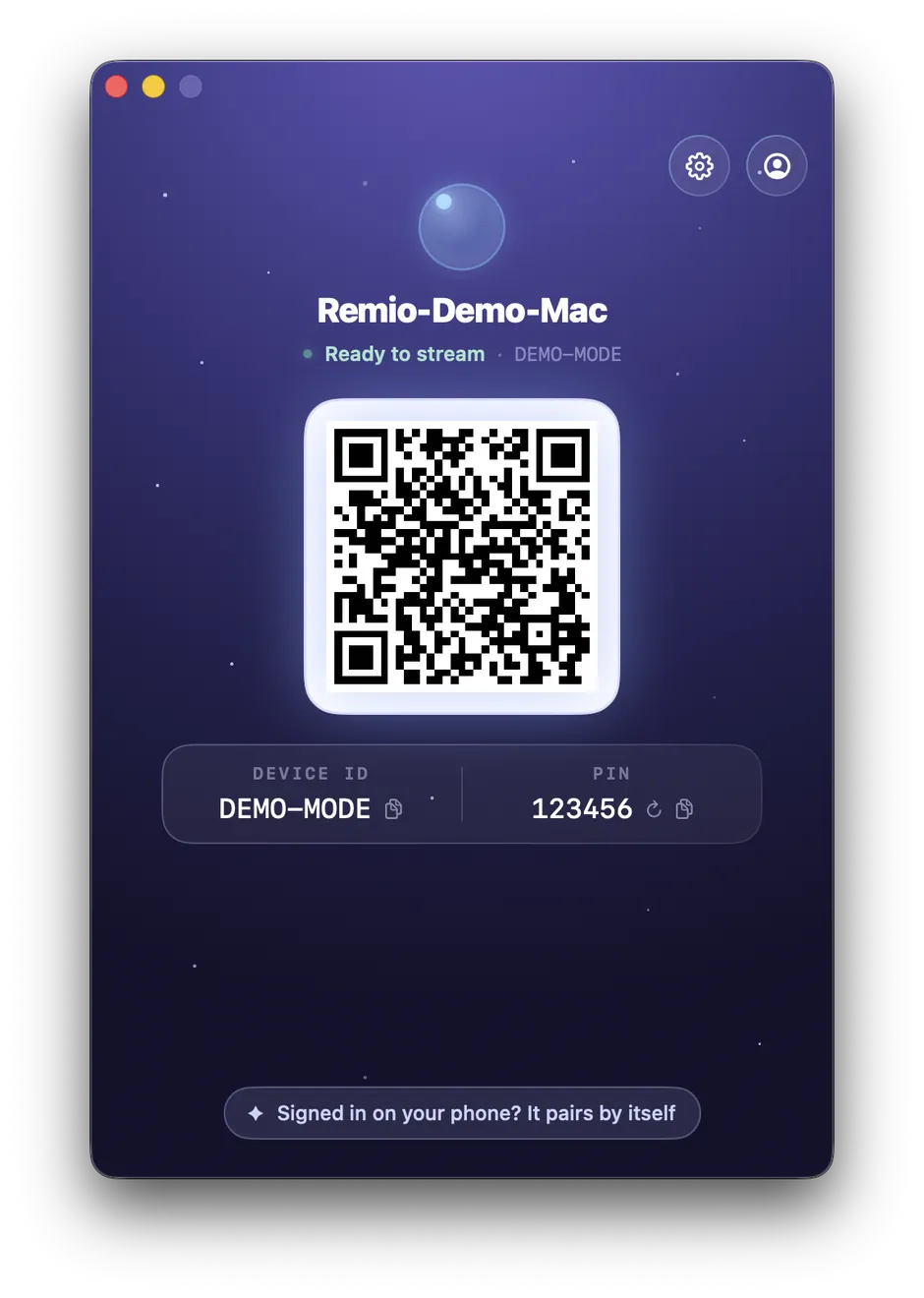
The Mac host displays a 4-digit PIN and a QR code. Either scan the QR with the Android camera button inside the app, or type the four digits. The two devices exchange ephemeral encryption keys, remember each other, and from then on you tap the Mac in the device list to connect — no PIN re-entry needed unless you explicitly unpair.

No Google account — the app does not call home to anything signed in to your phone
No cloud account — no email, no password, nothing for Remio to leak in a breach
Pair once, remembered locally — future connects are one tap
Input

Touch and stylus that translate cleanly

A touchscreen is not a mouse. A stylus is not a finger. Remio understands both, and forwards each kind of input to the Mac as the closest native equivalent — so apps on the host respond exactly as they would to a Magic Trackpad, a Wacom tablet, or an external keyboard.

Multi-touch, mapped to the Mac

Two-finger scroll on the Android screen drives smooth-scrolling on the Mac. Pinch-to-zoom translates to native trackpad zoom in Preview, Maps, and Photos. Three-finger swipes act as system gestures. Long-press becomes a right-click. Every touch is handled by Compose and forwarded over an encrypted data channel as the closest macOS input event.

S Pen on Galaxy tablets

On a Galaxy Tab S8 or S9, the S Pen forwards as a real tablet device — pressure, tilt, and barrel button included. Drawing in Procreate, Photoshop, Clip Studio Paint, or Affinity Designer on the host Mac feels the way it should: pressure curves apply, tilt rotates the brush, the button toggles to eraser. Not a synthetic single-pressure mouse stream.

Bluetooth keyboards forward natively

Pair a Magic Keyboard, Logitech MX Keys, or any Bluetooth keyboard with your Android device, and every keystroke lands on the Mac as a real keyboard event. Modifier keys map cleanly — the Android Alt becomes macOS Option, the Windows-key becomes Command — so shortcuts like Cmd-Tab, Cmd-Space, or Cmd-C behave the way you expect.

Mice and trackpads, plug and stream

USB or Bluetooth mice and trackpads connected to the Android device pass through as native macOS input. Scroll wheels, side buttons, precision trackpad gestures — all forwarded. The Mac never knows the input is coming from a phone or tablet; it sees the same events it would from a directly-connected peripheral.

Form factors

Built for both the phone and the tablet

A phone and a 12-inch tablet are not the same device. Remio’s Compose UI knows the difference and adapts its layout, control density, and interaction model to whatever screen you are on — including the strange middle ground of a foldable.

01
Phone layout

Portrait-first, optimised for quick remote actions

On a phone, the app opens in portrait with the device list front and centre, large connect buttons, and a streaming view that goes immediately full-bleed when you tap in. The control overlay is collapsed by default and pops up when you tap a designated edge zone — designed for one-handed use during the quick “check on the render that is finishing” kind of session.

When you do need to work, rotate to landscape and the Mac desktop fills the screen at the device’s native aspect. Touch input remains active, and the on-screen toolbar drops to a thin slider so the picture dominates.

02
Tablet layout

Landscape-first, ready for actual desktop work

On a Galaxy Tab S9 or a Pixel Tablet, the app opens in landscape and assumes you are sitting down to do real work. The streaming canvas takes most of the screen, a persistent side rail holds session controls and quick keyboard shortcuts, and the chrome stays present so you do not have to fish for it. Pair with a Bluetooth keyboard and the device is suddenly a workable Mac with a touchscreen.

Tablet mode is also where the S Pen really earns its keep — canvas work in Procreate or Photoshop running on the Mac, drawn on the tablet, becomes a serious creative workflow that does not require carrying the Mac itself.

03
Foldable layout

A dedicated layout for Pixel Fold, Galaxy Z Fold, OnePlus Open

When the device is folded, Remio runs in phone mode on the cover display. Open it and the layout transitions to a tablet-like split view — device list and session controls on one panel, the live Mac stream on the other. The hinge state is observed through Android’s WindowInfoTracker API, so the layout flips at the exact moment you open the fold, not half a second later.

Two-way data

Audio, clipboard, and files travel both ways

A remote session is only useful if data moves both directions. Remio keeps your Mac and your Android in sync — copy on one, paste on the other; play audio on the Mac, hear it on the phone; drag a file across and it lands on the other device. Everything goes through the same end-to-end encrypted channel as the screen stream.

Clipboard sync, bidirectional

Copy a URL on the Mac, switch to the Android phone in your hand, paste — it is there. Copy a confirmation code on Android, paste on the Mac. Plain text, rich text, and image content all roundtrip cleanly. Sync happens through the same encrypted data channel as the rest of the session, so no clipboard contents ever touch a relay or a cloud service.

Audio from Mac to Android

System audio on the Mac — music, video, Zoom calls, anything — routes to the Android device’s speakers or whichever Bluetooth headphones it is paired with. The audio path is low-latency and stays sync-locked with the video stream so lip-sync stays correct on calls and video. AirPods Pro on the phone with audio from the Mac — it just works.

File transfer, both directions

Push a screenshot from the phone to the Mac, or pull a PDF the other way. File transfer happens over the same encrypted data channel as the screen stream, so files never sit in a cloud bucket waiting to be downloaded. Transfer speed is gated only by the network — on a fast local link, even multi-gigabyte files move in seconds.

All of it, end-to-end encrypted

Clipboard contents, audio packets, file bytes, and the video stream itself all travel inside the same end-to-end encrypted session. Keys never leave your two devices — even when a relay carries the encrypted bytes across the internet, the relay sees only opaque ciphertext. Pair once, and everything that crosses the wire is protected the same way.

FAQ

Questions Android users ask first

Five common questions about Remio on Android — honest answers, no marketing fluff.

Android 10 (API 29) and later. Tested on Pixel 6, 7, 8, and 9; Samsung Galaxy S22, S23, and S24; Galaxy Tab S8 and S9; and OnePlus and Xiaomi flagships. Anything newer than five years old with a modern hardware decoder should run Remio at full 60 fps. Older devices may still work but will fall back to software paths and warmer batteries.
Yes. S Pen events forward as native tablet input with pressure, tilt, and barrel button. Drawing in Procreate or Photoshop on the Mac responds to pen pressure exactly as it would on a Wacom tablet — the host receives proper stylus pressure curves, not a synthetic single-pressure mouse stream.
Yes, on Chromebooks that support Android apps. Performance is good on modern Chromebooks with hardware H.265 decode — the same MediaCodec pipeline that powers the phone build. Window resizing, trackpad scroll, and physical keyboards all behave as expected; the app adapts its layout to whatever window size ChromeOS gives it.
Chrome Remote Desktop runs through a browser, requires a Google account, relays through Google servers, and tops out around 30 fps. Remio is a native app, connects peer-to-peer with no account, and sustains 60 fps with hardware-accelerated decode. Input feels closer to sitting at the Mac itself rather than nudging a video feed.
Yes. USB or Bluetooth mice, keyboards, and trackpads connected to the Android device forward as native macOS input, including modifier keys, scroll wheels, and gesture data. Command, Option, and Control map across cleanly, and shortcuts like Command-Tab or Command-Space behave on the Mac exactly as they would if you were sitting in front of it.

Reach your Mac from any Android

Install Remio Host on your Mac, install Remio Client on your Android phone or tablet, pair once with a 4-digit PIN. The whole thing takes under a minute — and it is free, no account, no data collected.

Free, no account, no Google sign-in required. Android 10+ and macOS 14+.