iPhone → Windows

Your Windows PC, in your pocket.

A native iOS app — not a browser tab. Multi-touch drives a native Windows pointer, the iOS keyboard sends real Windows scancodes, and it runs on Windows Home. No RDP, no Microsoft account, no VPN.

Free forever No account Windows 10 & 11 · iOS 16+
Streaming

Built native for iPhone, not adapted from a browser.

Remio is 100% SwiftUI — no WebView, no JavaScript bridge, no Electron in the rendering path. Video hardware-decodes through VideoToolbox onto a Metal-backed layer, so a 4K 60 fps stream costs well under 5% CPU on any iPhone since the XS. A separate, prioritized input channel means your taps always beat the next video frame — even on a saturated cellular link.

Sub-5 ms on the same Wi-Fi, under 40 ms on a direct link across the internet.

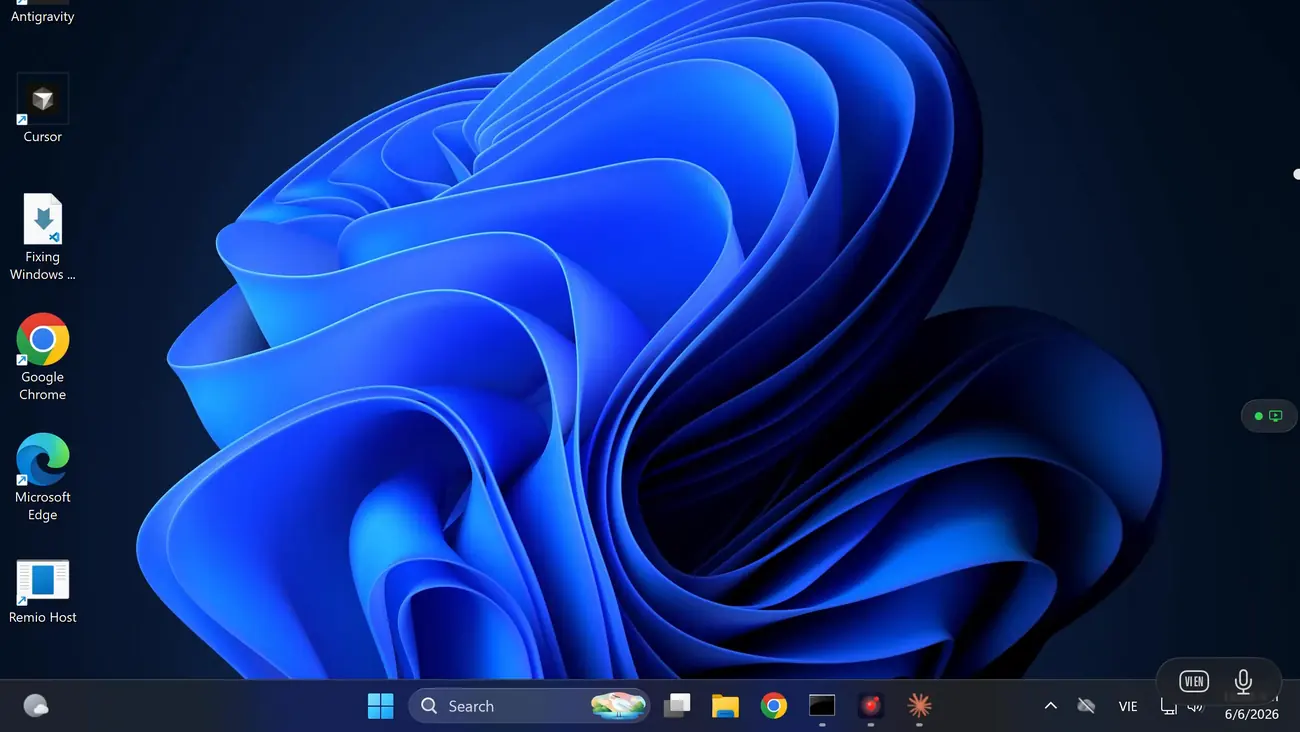
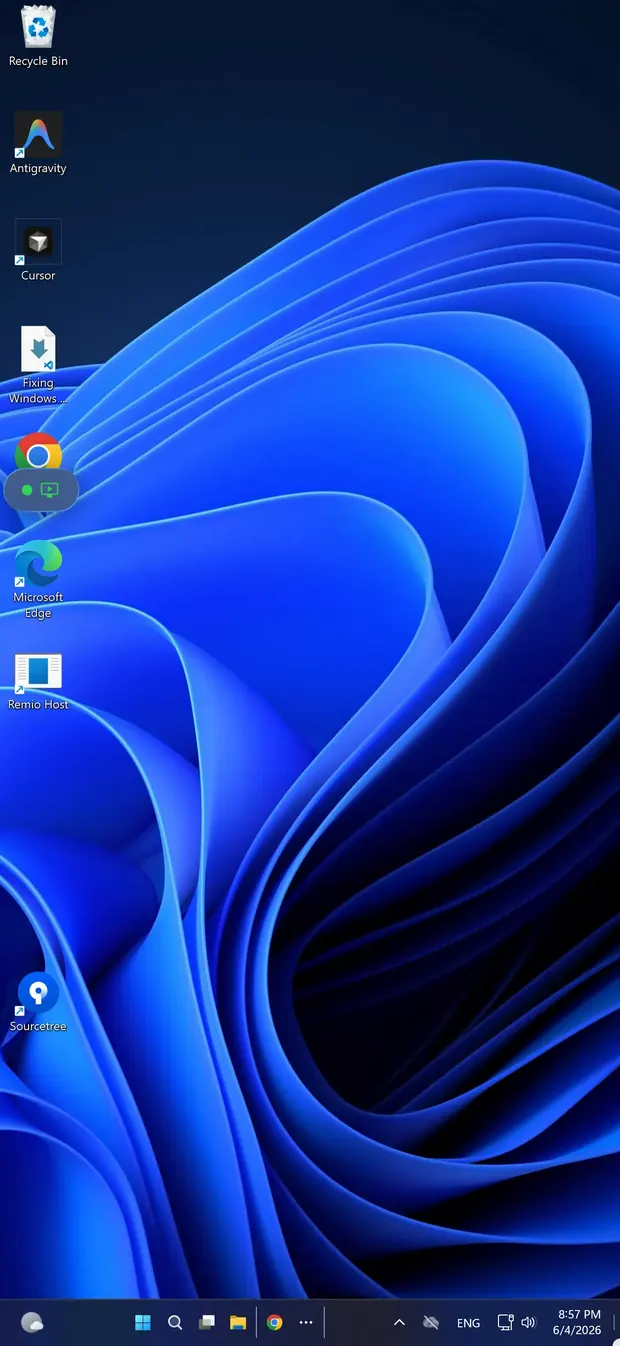
A Windows desktop streaming to an iPhone through the Remio client
The Windows PC being reached, shown on its own monitor
Touch input

Touch that feels like a trackpad.

Windows assumes a mouse; the iPhone has none. So the whole screen becomes an indirect trackpad — one finger drives the pointer, a tap clicks where it rests, a two-finger tap is a right-click, and two-finger scroll spins the wheel. Pinch zooms the streaming canvas to hit a small control, and a persistent cursor with synthetic hover keeps modern Windows UI honest. Pair a Bluetooth mouse or keyboard to the iPhone and both forward as native Windows input.

The iOS keyboard maps every key to a real Windows scancode — Ctrl, Alt, Shift, the Win key, and shortcuts like Alt+Tab or Win+L.

Setup

30 seconds from install to streaming.

Two installs, one PIN, no account. No VPN, no firewall rules, no port forwarding — the host never opens an inbound port.

01

Install the Windows host

On the PC you want to reach, download the Remio host from remio.net/download and run it. It's a signed, user-mode installer — no kernel driver, no system-wide service, admin rights only for the install itself. Works on Windows 10 and 11, Home editions included.

02

Install Remio on the iPhone

Search "Remio" in the App Store (iOS 16 or later), or open remio.net/download on the phone to land on the App Store page. The download is around 35 MB. Launch it — no signup, no email confirmation. It opens straight to a pairing screen with a number pad and a QR scanner.

03

Pair and tap connect

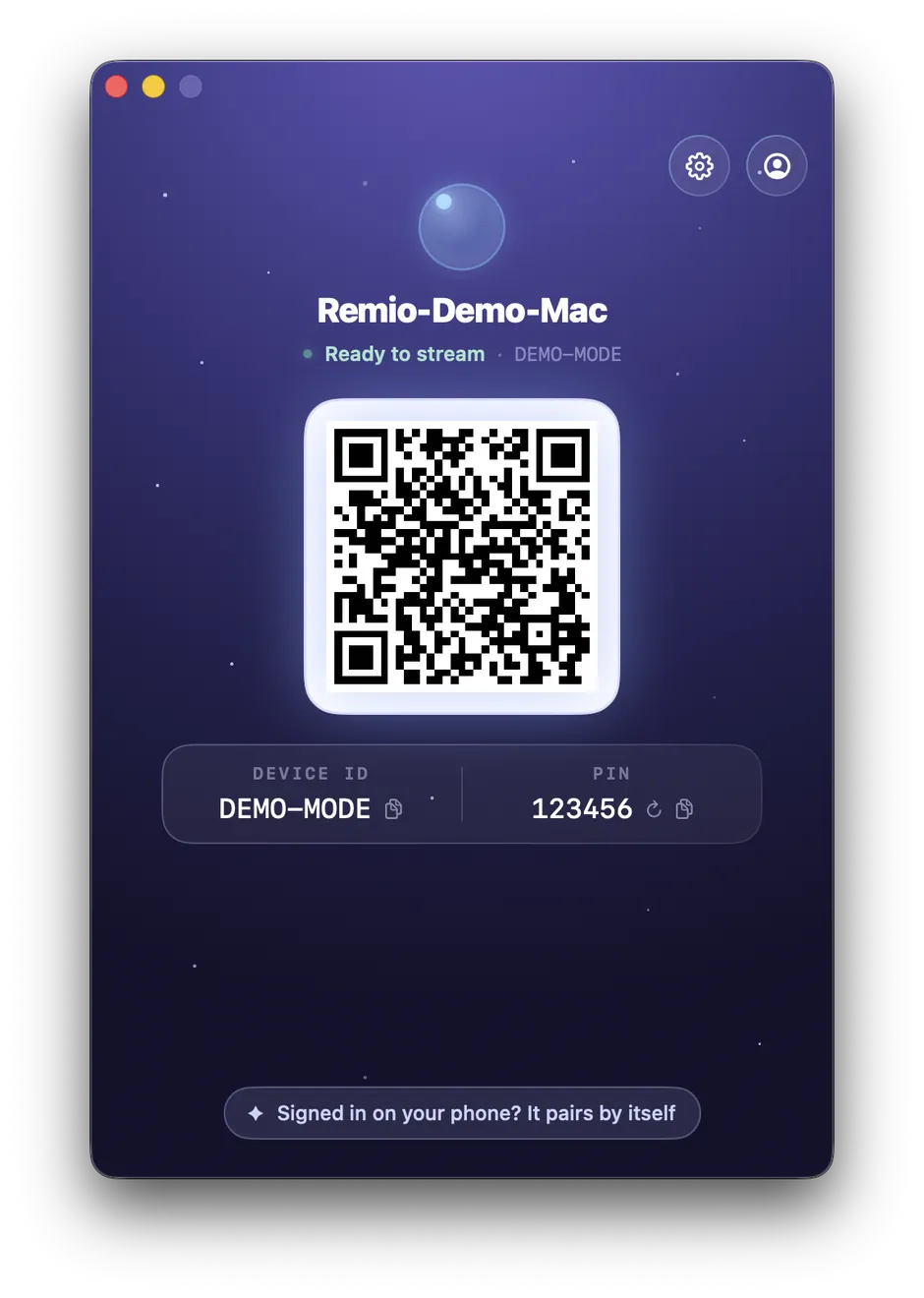
The host shows a one-time 4-digit PIN and a QR code. Scan or type it on the iPhone. Remio picks the best route automatically — a direct peer-to-peer path on the same network, or an encrypted relay if a direct path isn't available. The PC is one tap away from then on, no PIN to retype.

Performance

Performance that respects your data plan.

A phone is the device most likely to be on cellular or a captive-portal Wi-Fi. Remio is built for exactly that.

Adaptive bitrate, 300 Kbps–15 Mbps

On a metered link the stream continuously probes and adapts within a 300 Kbps to 15 Mbps envelope. Bitrate drops before frame rate does, so you keep 60 fps and never get the 30 fps stutter.

Hardware H.265 decode

Every iPhone since the XS (A12 Bionic, 2018) decodes H.265 in hardware. A 4K 60 fps stream runs at a few percent of CPU with the battery barely warming — no software fallback, no thermal throttle.

5G, LTE, hotel Wi-Fi — no VPN

Peer-to-peer NAT traversal punches through without port forwarding or a VPN profile, and the host never opens an inbound port so your PC is never exposed to the internet. A relay fallback carries the session when a direct path is impossible.

End-to-end encrypted by default

Every session is end-to-end encrypted with no setting to disable it. The keys live only on your two paired devices and never reach a server — even Remio cannot decrypt your stream.

In the wild

Work without your laptop.

A six-inch window is enough for the jobs that only take minutes — and those are most of them.

01
Renders & builds

Kick off the overnight job before you leave

The export in Premiere, the compile, the batch encode — start it from the elevator and it's running by the time you reach the street. Glance at the progress bar from anywhere, as often as you like, without carrying a laptop for the privilege.

02
Office & service ops

Fix the Excel macro or restart the stuck service

A quick edit in a workbook, an installer waiting on a click, a wedged Windows service that just needs a restart. Connect, do the forty-second thing, pocket the phone — instead of it waiting until you're back at the desk at 11 PM.

03
No VPN needed

Reach the work PC from anywhere, no IT ticket

No VPN client to install, no router homework, no port to open. The work PC answers over cellular or hotel Wi-Fi with the same one-tap connection you use at home — and the session stays end-to-end encrypted the whole way.

Vs the alternatives

How it compares to Microsoft Remote Desktop.

Microsoft's RDP host is Pro-only — Windows Home can't accept incoming Remote Desktop connections at all, and the usual fix is a ~$99 Pro upgrade. Remio brings its own native host, so Home works out of the box, with no account and encryption on by default rather than as a setting. See how it stacks up against RDP, Chrome Remote Desktop, TeamViewer, Parsec, and AnyDesk on the compare hub.

No Pro upgrade, no Microsoft account, no exposed port — free, on the edition you already have.

Remio host window showing the pairing QR code, Device ID and PIN
FAQ

Things people ask first.

Five questions the iPhone-to-Windows direction tends to raise — honest answers below.

Does Remio require Windows Pro like RDP?
No. Remio runs on Windows 10/11 Home, Pro, or Enterprise without changes. It does not use the Windows RDP server at all — it brings its own native host, so the Home-edition restriction on incoming Remote Desktop connections never applies. No Pro upgrade, no registry patch, no group policy edit.
Will I need a Microsoft account?
No. Pairing uses a local 4-digit PIN that expires in 60 seconds. No Microsoft account, no Remio account, no email — type the PIN into the iPhone once and the two devices exchange keys and remember each other.
How well does the iPhone keyboard work on Windows?
Hardware keyboards forward natively. The on-screen iOS keyboard maps every key to a real Windows scancode, including arrows, the function row (F1–F12), modifiers (Ctrl, Alt, Shift, Win), and shortcuts like Ctrl+C, Alt+Tab, and Win+L. Long-press a key for accented or special characters.
Can I use a Bluetooth mouse with the iPhone client?
Yes. Bluetooth mice and trackpads connected to the iPhone forward as native Windows mouse input — including secondary click, scroll wheel, and gesture data on supported trackpads like the Magic Trackpad. Pair the accessory in the iPhone's own Settings → Bluetooth.
Does it work over cellular, or only Wi-Fi?
Both. On cellular, Remio adapts within a 300 Kbps to 15 Mbps bitrate envelope and falls back to an encrypted relay route if a direct path is not available. Most 4G and 5G networks sustain a clean 60 fps stream, and bitrate drops before frame rate does.
Remio app icon

Your Windows desktop, one tap away.

Install the Remio host on the PC, install Remio on your iPhone, pair once with a 4-digit PIN — free, no Microsoft account, no card.